MySQL 安装
Windows 上安装 MySQL
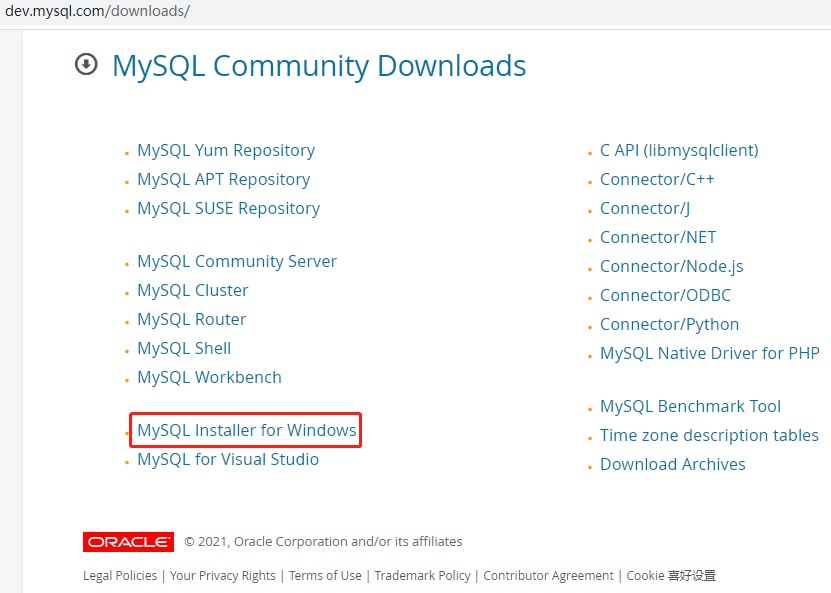
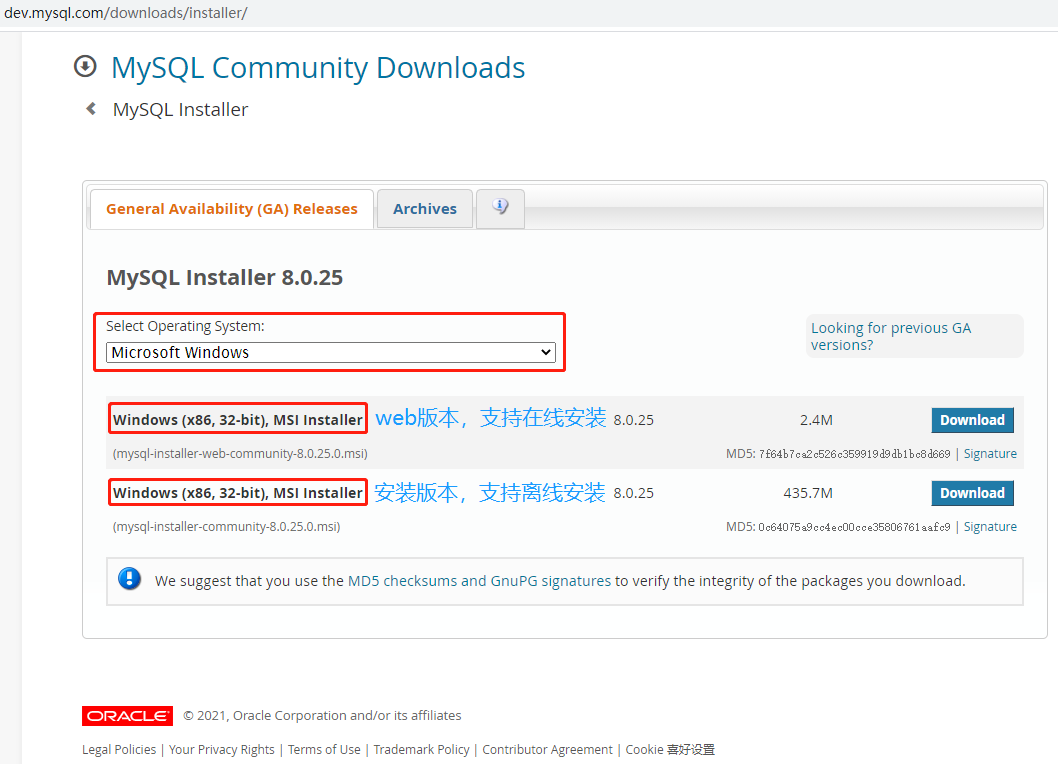
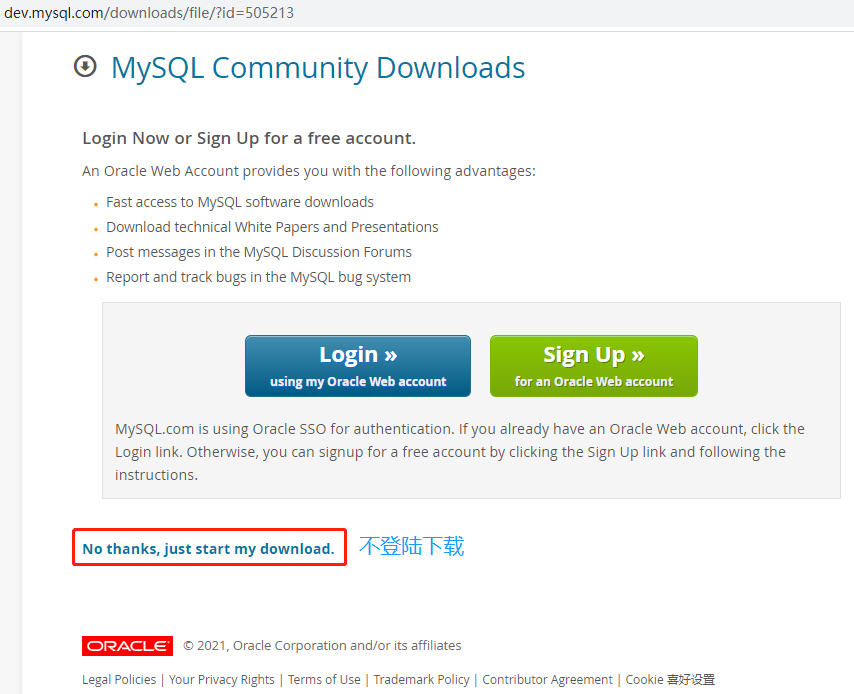
下载:
安装:
产品选择:
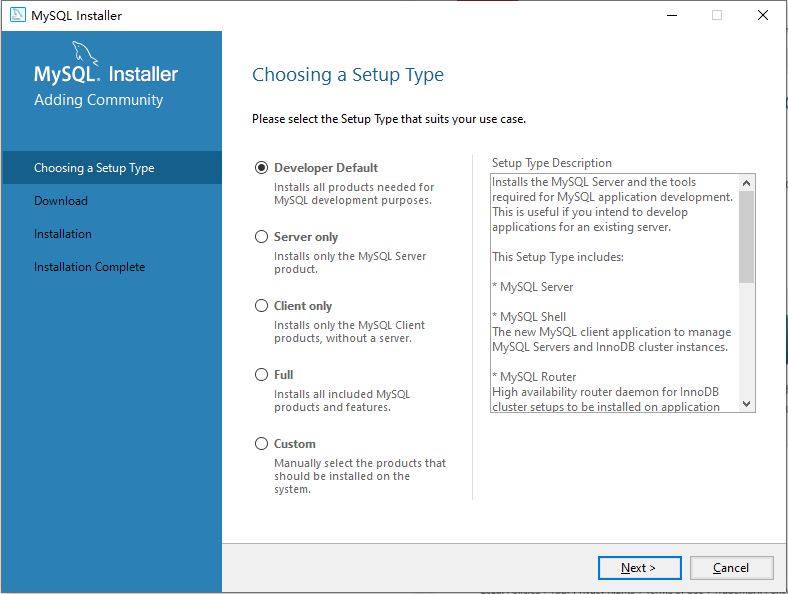
- Developer Default:开发者默认,安装 MySQL 开发所需的所有产品。
- Server only:服务器,只安装 MySQL 服务器产品。
- Client only:客户端,只安装没有服务器的 MySQL 客户端产品。
- Full:完全,安装所有包含的 MySQL 产品和功能。
- Custom:手动,手动选择系统上应安装的产品。
跳过 Check Requirements:
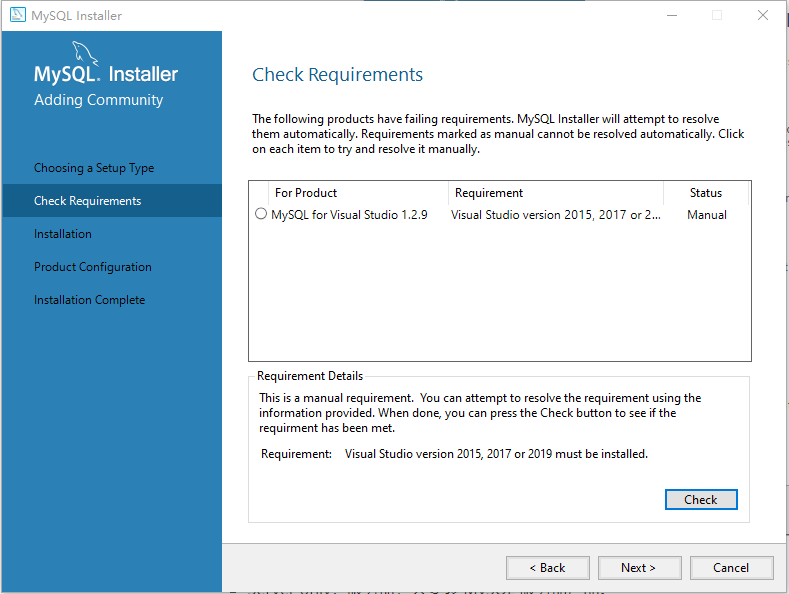
进度,安装需要一段时间:
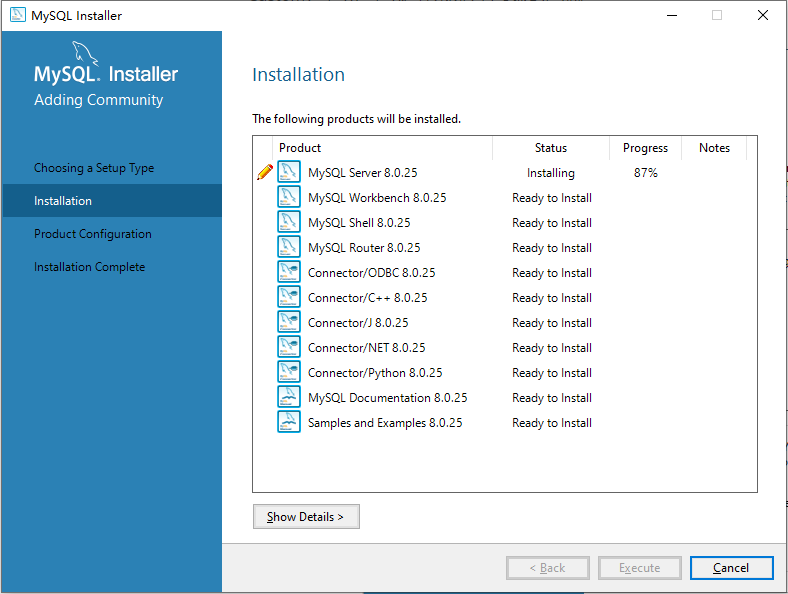
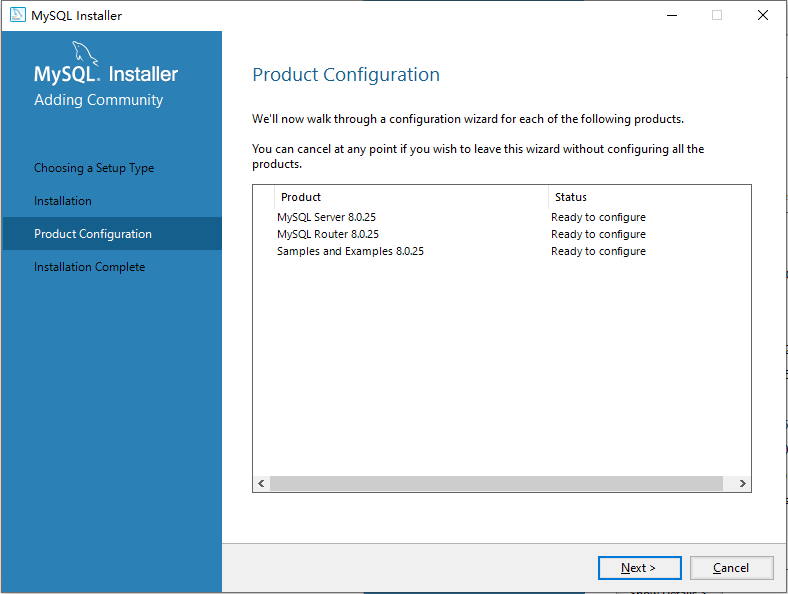
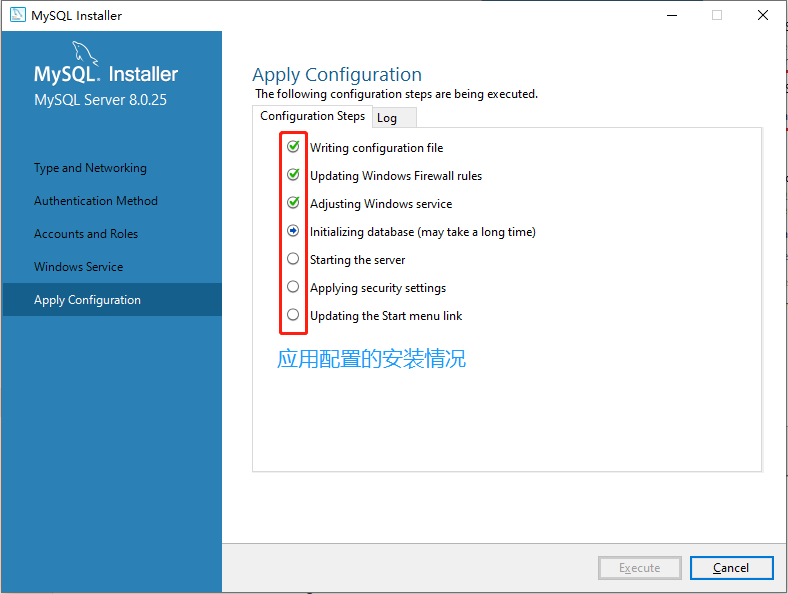
待配置项,接下来会一项接一项的进行配置。当一项配置完后,会回到此页面,并显示该项 Configuration Complete,然后进行下一项:
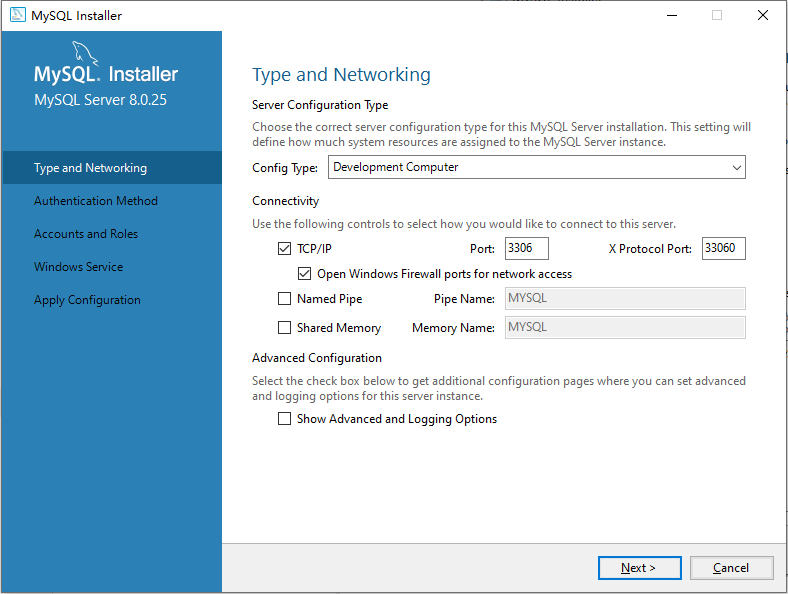
端口:
root 用户密码 (此密码不能忘):
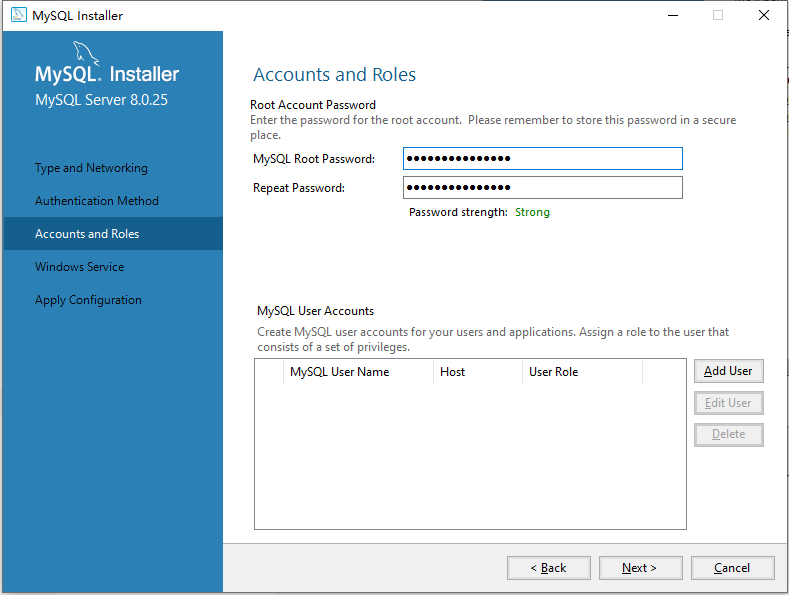
可以在本页面添加其他用户,并赋予权限和登录密码。
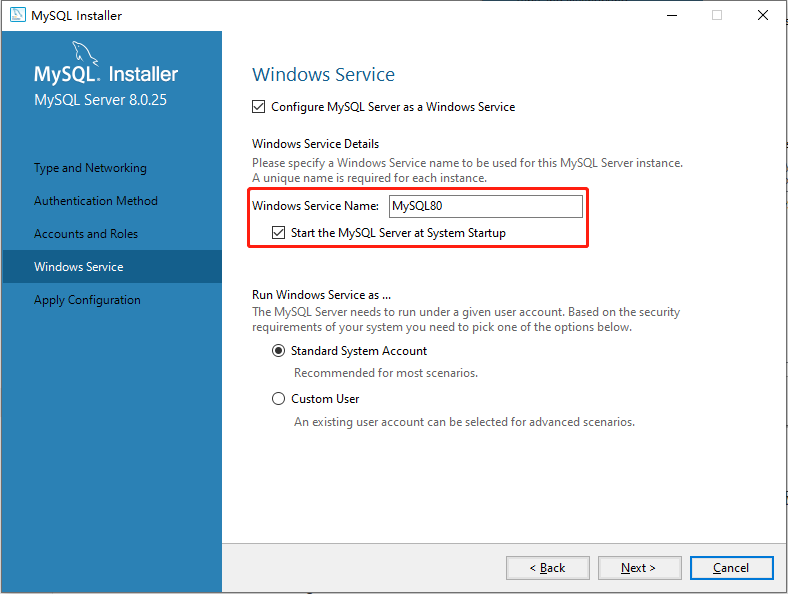
配置 MySQL 在 Windows 系统中的名字,以及是否选择开机启动 MySQL 服务:
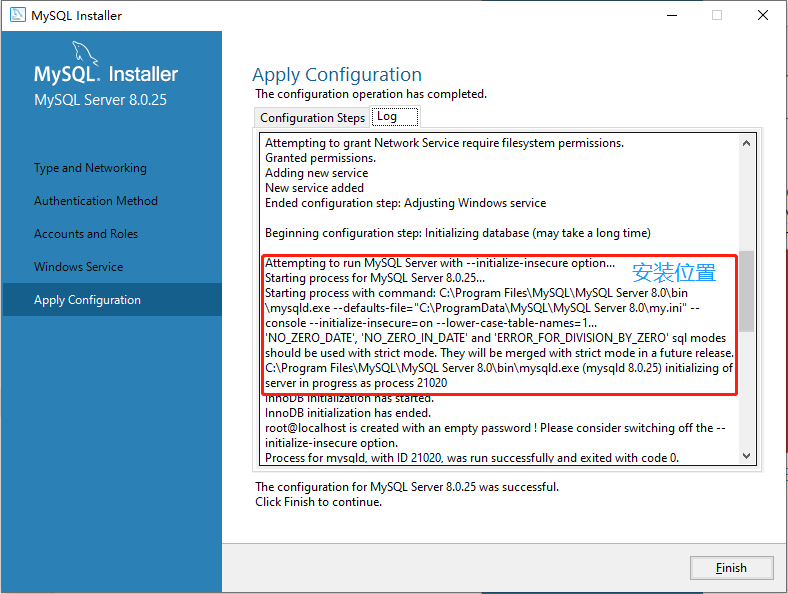
应用配置:
安装日志,可以查看端口和安装位置等信息:
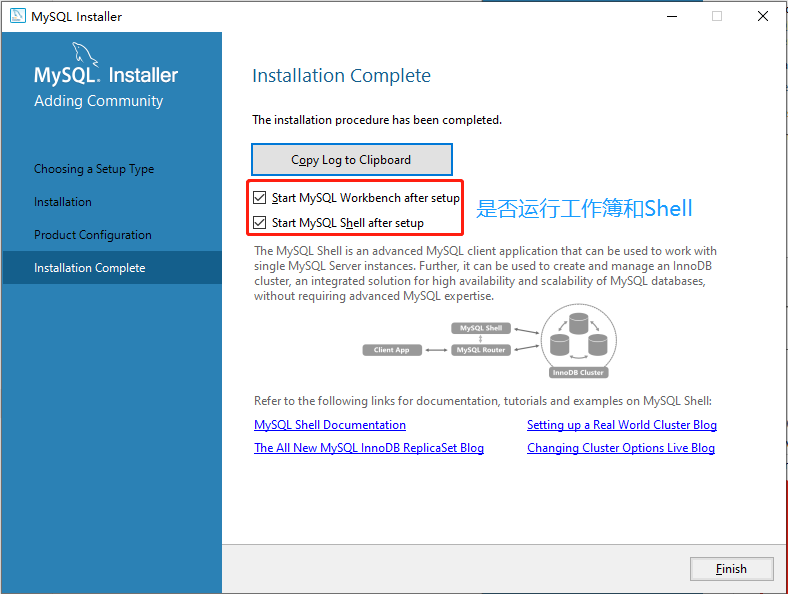
安装完成:
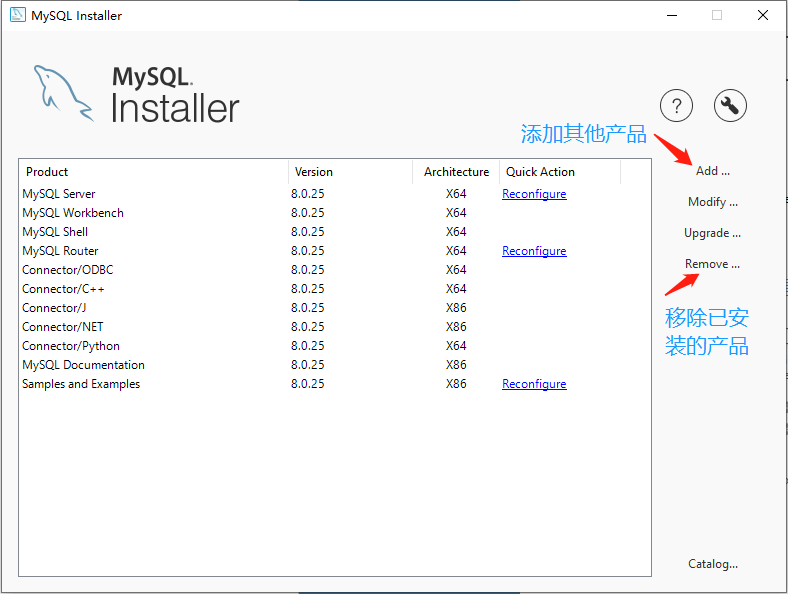
双击运行之前下载的安装包,能看到所安装的产品。
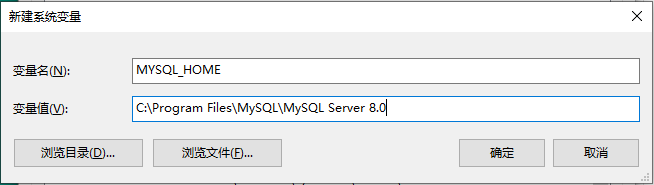
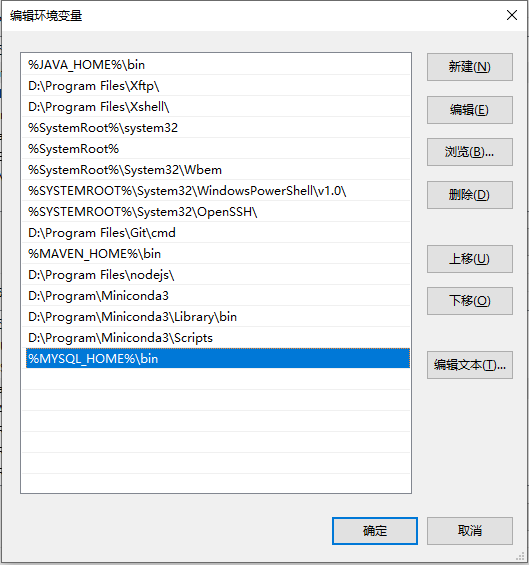
添加环境变量:
- 新建 MASQL_HOME:
添加 path:
测试:
1
2
3
4
5
6
7
8
9
10
11
12
13
14
15C:\Users\XiSun>mysql -u root -p
Enter password: ***************
Welcome to the MySQL monitor. Commands end with ; or \g.
Your MySQL connection id is 30
Server version: 8.0.25 MySQL Community Server - GPL
Copyright (c) 2000, 2021, Oracle and/or its affiliates.
Oracle is a registered trademark of Oracle Corporation and/or its
affiliates. Other names may be trademarks of their respective
owners.
Type 'help;' or '\h' for help. Type '\c' to clear the current input statement.
mysql>
本文参考
https://www.runoob.com/mysql/mysql-install.html
https://www.runoob.com/w3cnote/windows10-mysql-installer.html
声明:写作本文初衷是个人学习记录,鉴于本人学识有限,如有侵权或不当之处,请联系 wdshfut@163.com。